🔐 Secure Login
👥 Multi-User
From customer orders to kitchen management and analytics – everything you need to modernize your restaurant
Customers scan QR codes and order directly from their table without waiting
Orders go directly to the kitchen and bar panels for immediate preparation
Orders appear instantly on kitchen screens with real-time updates
Real-time insights and daily sales analytics for better decision-making
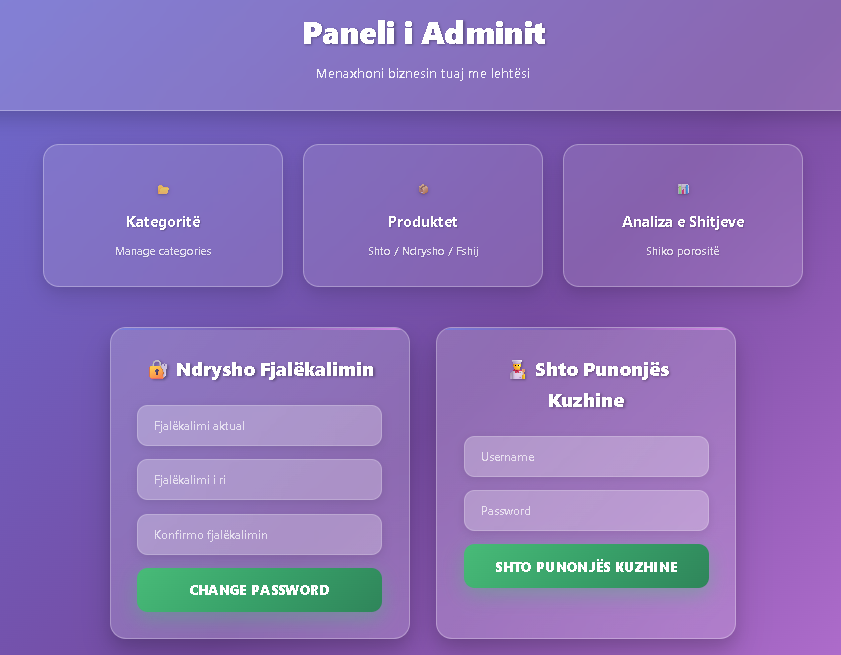
Full control over your menu, categories, and business analytics — all from one central dashboard.
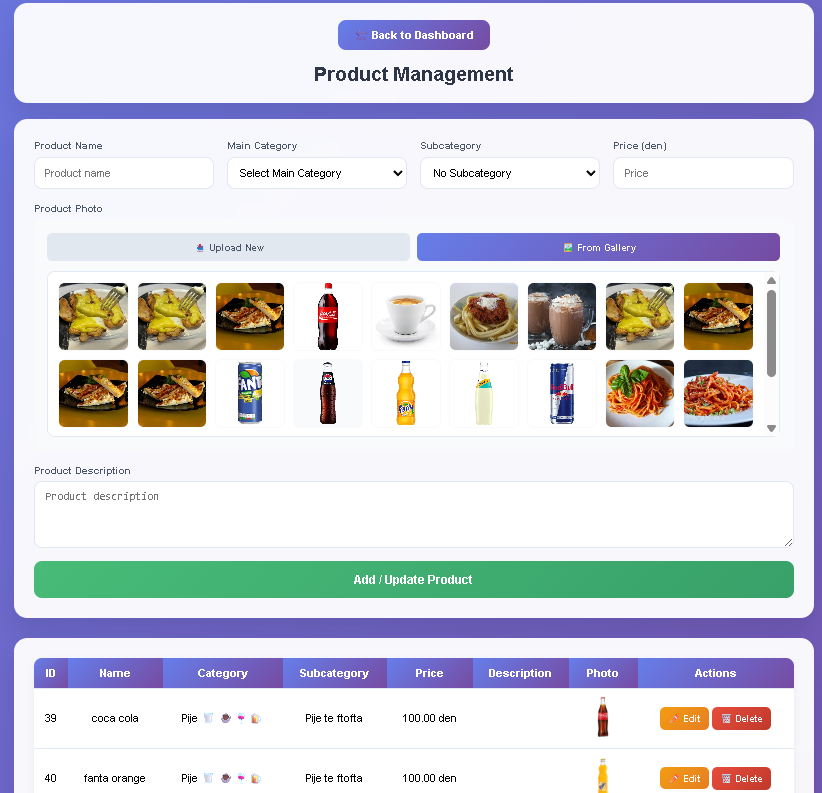
Add, edit, and organize your menu items with high-quality photos, competitive prices, and detailed descriptions that make customers hungry.
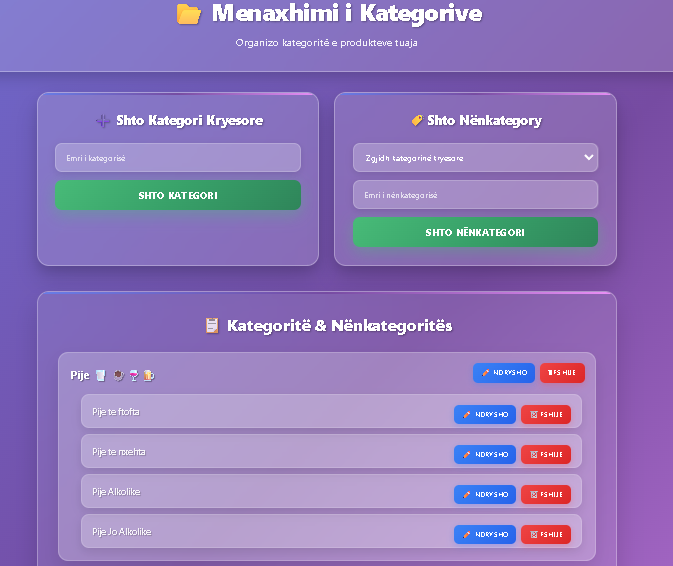
Organize your menu into intuitive categories like appetizers, main courses, drinks, and desserts for a seamless browsing experience.
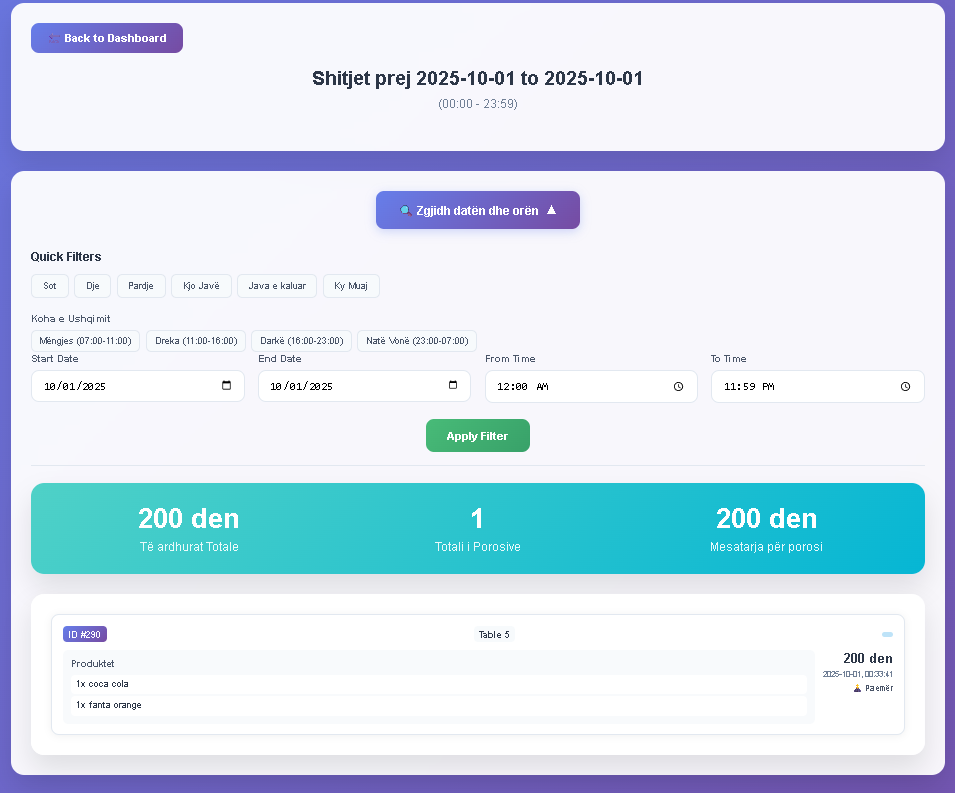
Track your sales anytime with advanced filters: today, yesterday, last week, or monthly. Analyze sales by time of day — morning, lunch, dinner, or late night.
Choose the plan that fits the size and needs of your restaurant, hotel, or beach bar.
For more information or support:
contact@tableflowapp.comJoin thousands of restaurants already using TableFlow
"TableFlow transformed our restaurant! Orders are faster, customers love the convenience, and our staff can focus on service instead of taking orders."
"The analytics dashboard gives us incredible insights. We can see which dishes are popular and optimize our menu accordingly. Revenue increased by 30%!"
"Installation was incredibly easy, and our customers adapted immediately. Contactless ordering was perfect during COVID, and they still prefer it today."
Everything you need to know about TableFlow
You can start in less than 30 minutes! Simply sign up, upload your menu items, print the QR codes, and place them on tables. Our team provides full support to make sure everything runs smoothly.
No! TableFlow works directly in any web browser. Customers just scan the QR code with their phone’s camera, and the menu opens instantly — no app download required.
Orders appear instantly on the kitchen screens with all details, including table number, items, and special requests. Staff can mark items as prepared and ready for delivery with a single tap.
Absolutely! You can upload your logo, choose colors that match your brand, and customize the appearance of the menu. Professional and corporate plans include advanced branding options and custom themes.
The digital menu includes a “Call Waiter” button for instant assistance. In addition, your staff can always help customers who prefer traditional ordering — TableFlow works seamlessly with your existing service style.